Four steps from domain to security clarity
No installation. No credentials. No meetings with consultants. Just your domain name — and 30 minutes.
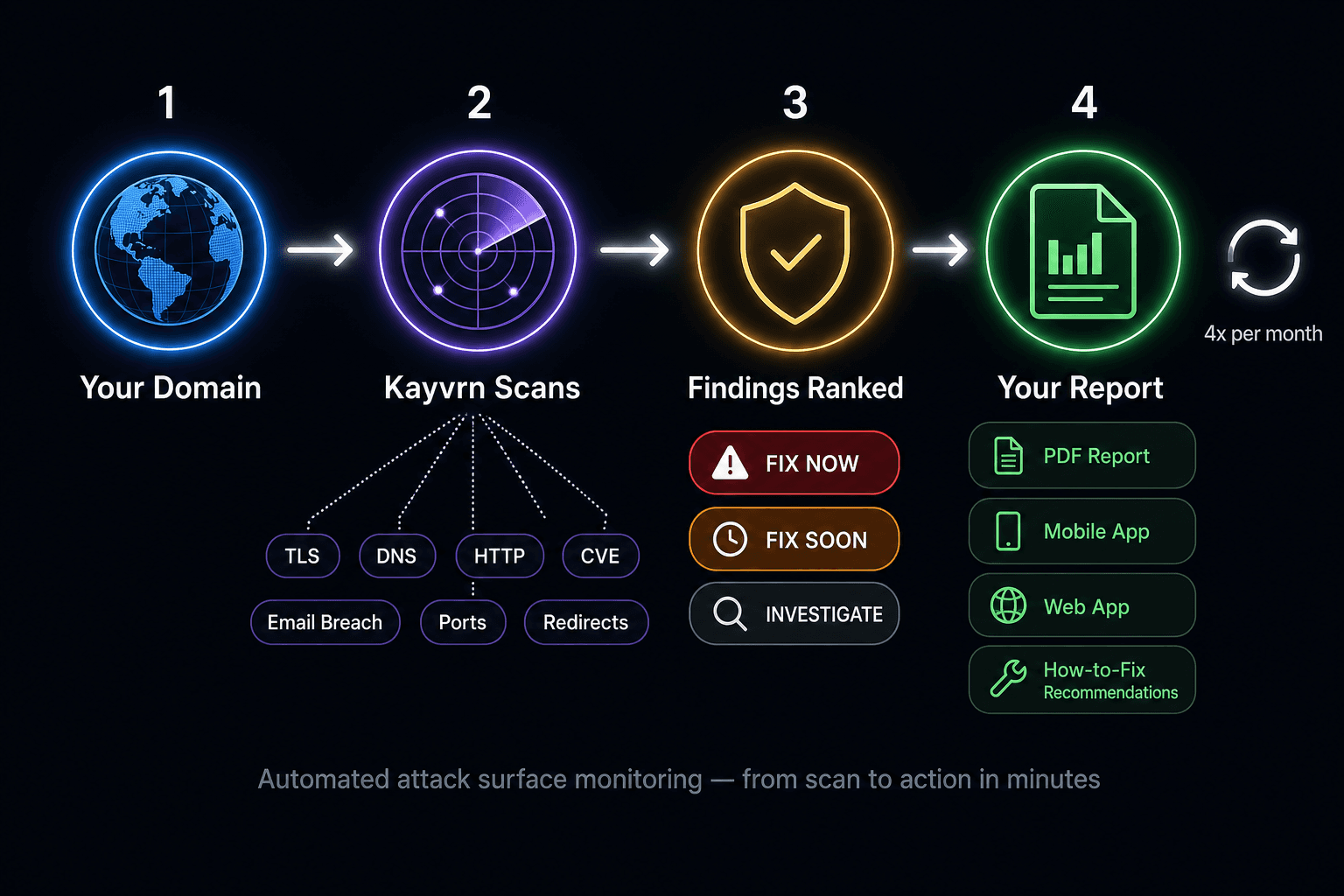
Enter your domain
Type in your domain name — nothing else. No installation, no credentials, no access to your systems. We start from the same place any attacker would.
We automatically discover your subdomains, associated IP addresses, and all internet-facing services from your root domain. You don't need to list them.
We scan from the outside
Kayvrn runs 57 checks across your entire external surface — email security, website vulnerabilities, DNS, cloud, authentication, APIs, and more.
Every check is non-destructive and non-disruptive. We probe the same way an attacker would: sending standard requests and analysing responses. Your site's visitors won't notice a thing.
You get a prioritised action plan
Within 30 minutes, your report is ready. Findings are graded FIX NOW, FIX SOON, or OBSERVATION — with plain-English explanations and step-by-step fixes for each one.
Every finding includes the exact evidence we collected. No black-box outputs. Share the PDF with your developer, your hosting provider, or your board.
We monitor regularly
On paid plans, Kayvrn scans automatically every week. If anything changes in your security posture — new vulnerability, new misconfiguration, new subdomain — you hear about it.
Email alerts are sent immediately when new critical or high findings are detected. You'll know about a new exposure the same week it appears.
Frequently asked about the process
Do you need my login credentials or internal access?
No. Kayvrn scans exclusively from outside your network, using only publicly available information. No credentials, VPN access, or system access is needed or requested.
Will the scan affect my website's uptime or performance?
No. Our probes are rate-limited and designed to be indistinguishable from normal web traffic in terms of volume. Your users will see no impact.
How long does a scan take?
Most scans complete within 20–40 minutes depending on the number of subdomains discovered and the depth of findings. You'll receive an email when your report is ready.
What if I have multiple domains or subdomains?
Kayvrn automatically discovers and scans your subdomains as part of every scan. If you want to add additional root domains, you can do so on Growth and Business plans.
Can I see a sample report before committing?
Yes — view our interactive example report or download a sample PDF on this site. The free scan also shows your own risk grade and a summary of your top findings, so you can see your own results first.